
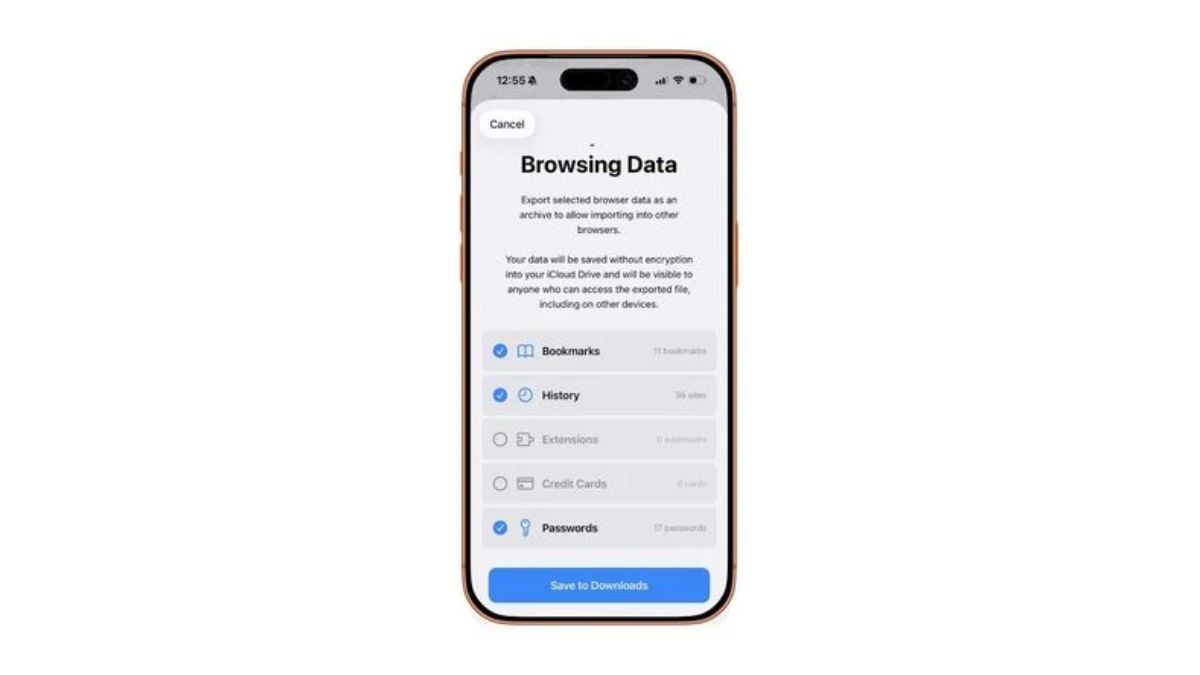
Google is working on a new feature that could make switching browsers on iPhones much easier. Reports suggest that Chrome on iOS may soon allow users to import their Safari browsing data directly into Chrome. This feature already exists on desktops, but Google now seems ready to bring it to iPhones as well.
The goal is simple. Reduce friction. Make it easier for Safari users to move to Chrome without losing their data.
Safari to Chrome data import on iPhone
The new tool is being tested as a guided Safari import option inside Chrome’s settings. It works using a ZIP file created by Safari itself. iPhone users can already export their Safari data through settings by choosing what they want to save, such as bookmarks, browsing history, passwords, or credit card details.
Once the ZIP file is created, users can open Chrome, go to settings, and select the Safari import option. Chrome then reads the file and shows a preview of what will be transferred. Before the process starts, Chrome clearly mentions that the data will be saved to the user’s Google account.
After the import is complete, Chrome alerts users that the ZIP file contains private information. It then offers an option to delete the file immediately. This adds an extra layer of safety and avoids sensitive data sitting on the phone.
The feature is currently being tested in Chrome version 145 through TestFlight. Since Chrome 144 is the current stable release, a public rollout could happen soon if testing goes smoothly.
iPhone to Android transfer feature is also in the works
Alongside this, Apple is also reportedly testing an easier way for users to switch from an iPhone to an Android phone. The iOS 26.3 beta introduces a new nearby transfer system. Users can place their iPhone near an Android device to start the process.
Once connected, users can choose what they want to move. This includes photos, messages, contacts, apps, passwords, and notes. The transfer works wirelessly and requires both devices to be updated, with Wi Fi and Bluetooth turned on.
The connection can be started by scanning a QR code or entering a session ID and pairing code. However, this feature may be limited to select regions at first, such as the European Union.
Together, these changes suggest a future where switching platforms and apps becomes less stressful and far more user friendly.
